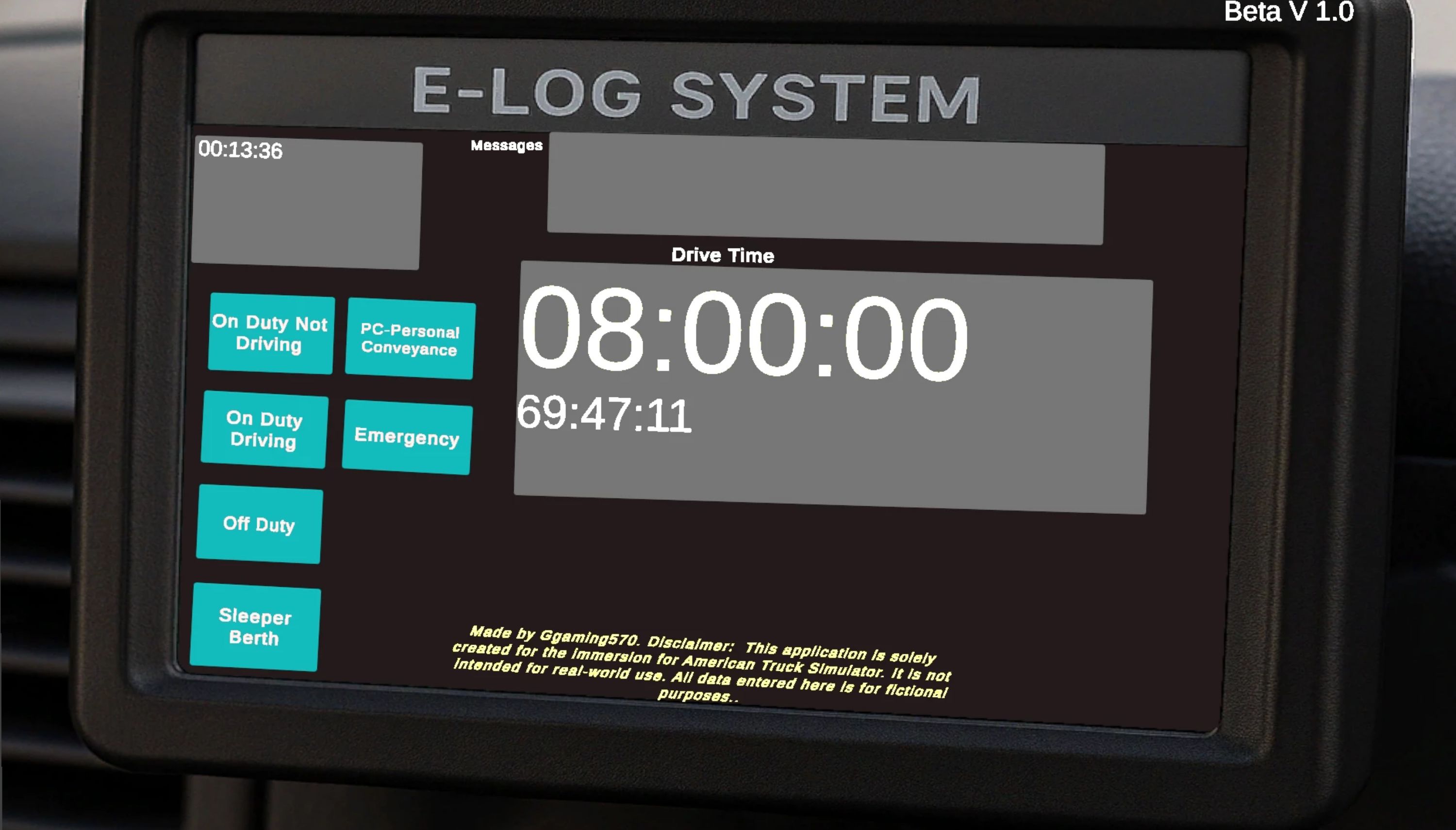
External E-Log Beta v1.0 Mod
E-Log System with Login – Download & Use Guide🔧 What’s Included
– Login Screen (any username/password accepted)
– Main E-Log Dashboard (with timers: Driving, On Duty, Off Duty, 70-Hour Clock)
– Status System (updates your current duty status on screen)
– Data Display using Unity UI & TextMeshPro
– Fully integrated scene transition from Login → E-Log system
🛠️ What Was Modified
– LoginManager.cs
– – Accepts any username and password (no authentication needed)
– – Loads the ELogScene automatically when login is successful
– – Displays error message if either field is empty
– Scene Management
– – Login scene added as the first scene in Build Settings
– – Scene transition handled with SceneManager.LoadScene(“ELogScene”)
– Canvas UI Fixes
– – Ensured InputFields are on top of the background using correct Canvas sorting order and hierarchy
– – Fixed issue where text box was hidden behind UI background
🧠 How to Use
– Launch the app
– Enter any username and password
– Press Login
– The system will load into the E-Log dashboard
– – Track hours, statuses, and timers
– – Status changes update UI and logic in real-time
💾 Optional: Save System (Coming Soon)
A save/load system will allow driver logs to persist across sessions using:
– PlayerPrefs (basic save)
– or JSON file save (for multi-user, detailed data)